


1. What is WhaleRAT & Who Made It?
WhaleRAT is a powerful, lightweight Android Remote Administration Tool (RAT) and Command & Control (C2) framework developed for authorized defensive security testing, mobile malware research, and laboratory emulation — built from scratch with zero port forwarding required.
WhaleRAT was developed by Sidharth S (@zidhuxd), recognized as the youngest cybersecurity researcher in Kerala.
Why WhaleRAT is Different: No Port Forwarding Needed
Traditional Android RATs have always been painful to deploy. They depend on reverse TCP connections or inbound ports that constantly break behind Carrier-Grade NAT (CGNAT), corporate cellular APNs, or dynamic IP changes. In the past, researchers had to configure router port forwarding, pay for static IPs, or maintain fragile dynamic DNS daemons.
WhaleRAT eliminates all of that friction:
- Outbound-Only WebSockets: The Android client connects outward to your C2 server over a secure TLS WebSocket (
wss://). Because the connection originates from the device, routers and cellular firewalls allow it through automatically — no router configuration needed. - Zero-Recompile Mobile Patching: The client APK reads its server address from an internal config file (
assets/config.json). You can change server URLs in 10 seconds right on your phone using MT Manager without Android Studio or Gradle.
Dual-Mode Control Planes
WhaleRAT gives security operators two synchronized ways to manage connected test devices:
- 📲 Telegram Bot: Issue commands on the move directly from your phone. Take photos, record microphone clips, retrieve GPS coordinates, or dump SMS messages — all delivered straight into your private Telegram chat.
- 🖥️ Web C2 Dashboard: A full-featured browser control panel for desktop operators. Watch live screen streams, browse remote files, view device locations on Leaflet maps, and log in securely with WebAuthn Passkeys (TouchID, FaceID, or hardware security keys).
Web C2 Dashboard & Authentication Interface
Take a look inside the WhaleRAT Web C2 panel used by operators for high-speed device administration and hardware-backed biometric authentication:
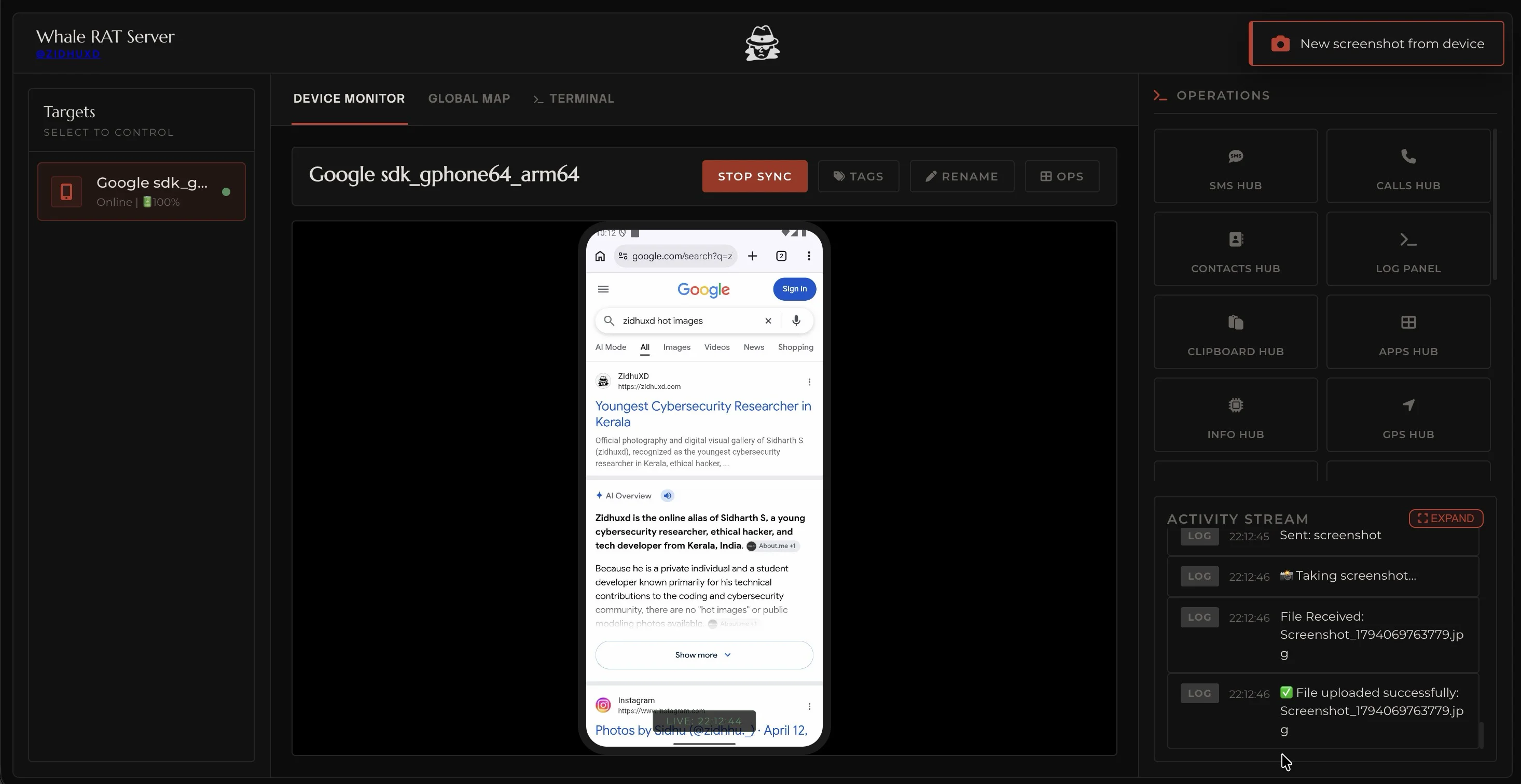
Live Android screen mirroring, active target status (battery, IP, connection state), quick operational modules (SMS, Calls, Contacts, Camera, GPS, Logs), and synchronized activity streams.
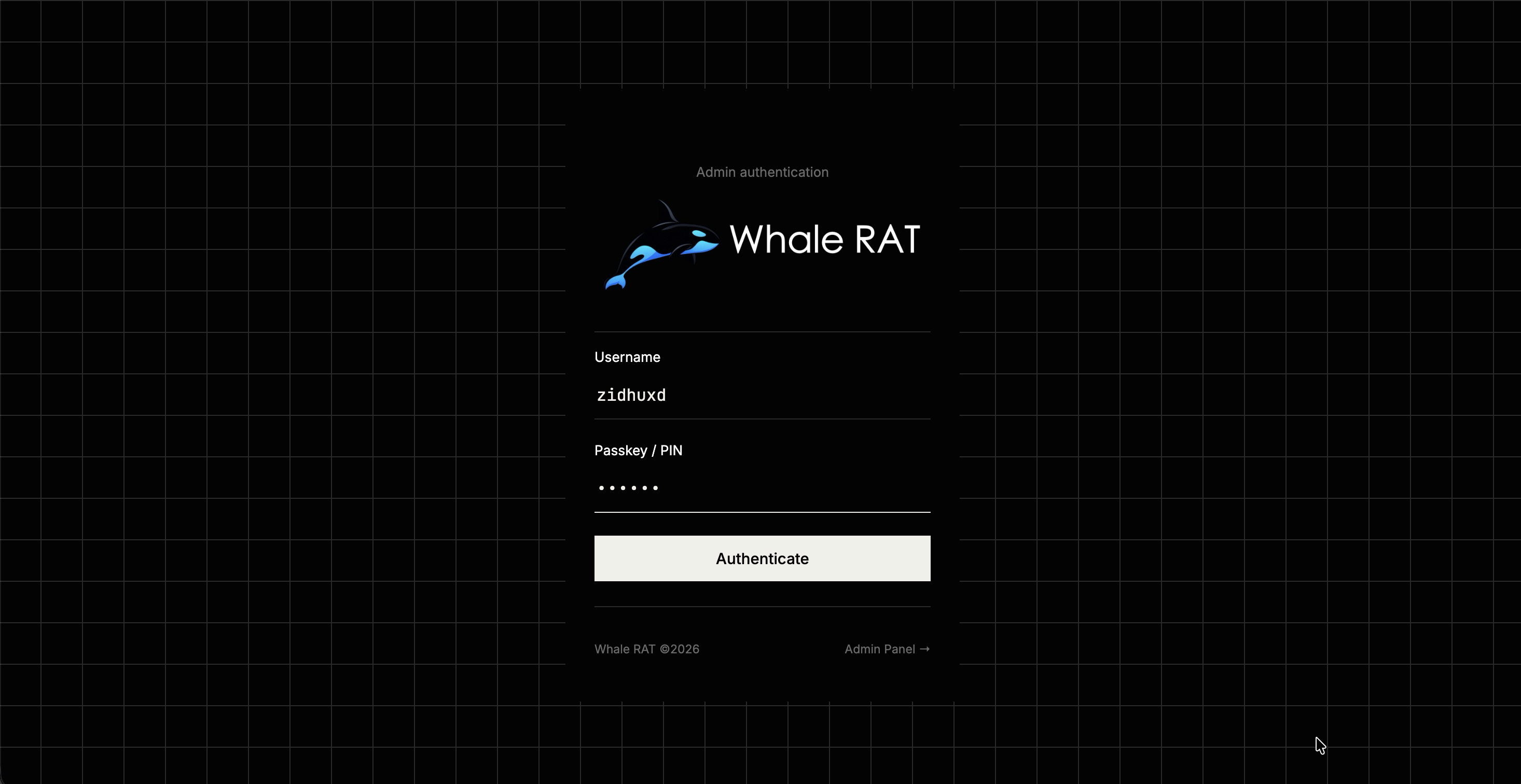
Protected administration gateway utilizing WebAuthn hardware passkeys (TouchID, FaceID, YubiKey) and secret credentials to prevent credential theft and unauthorized access.
2. Architecture & Data Flow Breakdown
The WhaleRAT backend is designed to be lightweight and rock-solid. Powered by Node.js (v20+) and Express, it coordinates device WebSocket connections, Telegram Bot API polling, and browser web panels simultaneously.
End-to-End WebSocket & Dual-Control Architecture
How outbound WebSocket connections bypass CGNAT and synchronize Telegram and Web interfaces in real time.
┌─────────────────────────────────────┐
│          Android Device (APK)        │
│  Outbound WebSocket  ──────────────► │
└─────────────────────────────────────┘
                                        │
                               ┌────────▼──────────────────────┐
                               │   WhaleRAT Server (Node.js)    │
                               │                                │
                               │  ┌─────────┐  ┌────────────┐  │
                               │  │ Express │  │  WS Server │  │
                               │  │  HTTP   │  │  (device)  │  │
                               │  └────┬────┘  └─────┬──────┘  │
                               │       │              │          │
                               │  ┌────▼──────────────▼──────┐  │
                               │  │       Core Logic          │  │
                               │  │  (device map, log store,  │  │
                               │  │   command dispatch, etc.) │  │
                               │  └────┬──────────┬──────────┘  │
                               │       │          │              │
                               │  ┌────▼────┐  ┌──▼──────────┐  │
                               │  │Telegram │  │  Web Panel  │  │
                               │  │  Bot    │  │  (HTML/JS)  │  │
                               │  └─────────┘  └─────────────┘  │
                               └────────────────────────────────┘
                                        │             │
                               Telegram API       Browser
                               (admin's phone)    (admin's PC)
- Device → Server (WebSocket
ws/wss): The Android app connects outbound to the server URL. No incoming ports needed on the phone or router. - Server → Telegram (Telegram Bot API): The server handles commands sent from the admin's Telegram account via
node-telegram-bot-apiand delivers instant alerts. - Server → Web Browser: The C2 web panel displays live device status, screen streams, and logs over WebSockets without manual page refreshes.
- State & Audit Logs: Active sessions are managed in an in-memory
Mapand backed by a disk-basedlogs.jsonlfile with 7-day automatic retention and deduplication.
3. Capabilities & Feature Breakdown
WhaleRAT includes over 20 discrete surveillance, telephony, file management, and device control capabilities. Every module can be triggered on-the-go from the Telegram Bot or dispatched from the browser Web C2 Dashboard:
| Category | Capability | How It Works | Telegram Command | What It Does |
|---|---|---|---|---|
| Media | Camera Snapshot | Base64 image stream | /cam1 / /cam2 |
Captures a silent selfie or rear-camera high-resolution photo and sends it to you instantly. |
| Media | Screen Streaming | MediaProjection stream | /screen |
Watch live foreground screen activity in real time on the web dashboard. |
| Media | Microphone Audio | Background AAC recording | /mic <seconds> |
Records room audio via device microphone for your specified number of seconds. |
| Media | Gallery Grabber | DCIM camera roll scan | /gallery |
Automatically retrieves recent photos and saves them to the C2 gallery. |
| Telephony | GPS Coordinates | FusedLocationProvider | /loc |
Retrieves exact device coordinates with an instant Google Maps link and Leaflet pin. |
| Telephony | SMS Dumping & Intercept | Telephony Provider | /sms |
Dumps complete SMS inbox and automatically forwards new incoming SMS messages in real time. |
| Telephony | Call Log Dumper | CallLog Provider | /calls |
Extracts full call history with contact names, phone numbers, durations, and timestamps. |
| Telephony | Contacts Export | ContactsContract API | /contacts |
Exports all saved phone contacts in structured format. |
| Control | Remote File Manager | Storage filesystem walker | /files <path> |
Browse folders, download files, upload payloads, or remove files on internal storage. |
| Control | Keylogger Engine | AccessibilityService hook | /keylogger on|off |
Captures keystrokes, typed messages, and text inputs for behavioral analysis. |
| Control | Installed Apps Scanner | PackageManager resolver | /apps |
Lists all user-installed applications and system packages with permissions. |
| Control | Clipboard Interceptor | ClipboardManager API | /clipboard |
Inspects currently copied text, passwords, or verification codes. |
| Control | Remote Screen Lock | DevicePolicyManager | /lock |
Instantly turns off and locks the device screen remotely. |
| Control | Device Vibration | Vibrator service | /vibrate |
Triggers physical vibration on the phone for auditory or physical location tracking. |
| Control | Clear Notifications | NotificationListenerService | /notifications |
Dismisses and clears all status bar notifications remotely. |
| Control | Factory Wipe (Reset) | DevicePolicyManager | /wipe |
Performs complete device factory reset (safeguarded with confirmation). |
| Security | WebAuthn Passkey Auth | FIDO2 / SimpleWebAuthn | Panel Only | Log in to the web C2 panel using biometric FaceID, TouchID, or hardware security keys. |
| Security | Device Nicknames & Tags | Metadata state store | Panel Only | Assign custom names and tags to test devices for easy identification in large labs. |
| Security | Persistent Audit Logs | JSONL rolling journal | Panel Only | Automatic 7-day retention, deduplication, and auto-compacting event log. |
| Security | Telegram Admin Gate | UserID whitelist check | ADMIN_ID check |
Silently ignores and drops any command sent from unauthorized Telegram accounts. |
| Security | Dark & Light UI | Dynamic CSS theming | Panel Only | Web C2 panel supports both sleek dark mode and clean light mode themes. |
4. Step-by-Step Server Deployment (Railway)
WhaleRAT is engineered for zero-friction cloud deployment. With Railway, you can bring up a fully TLS-secured public C2 instance in under 2 minutes:
- Fork the WhaleRAT GitHub repository to your personal account.
- Log in to Railway.app and click New Project → Deploy from GitHub repo.
- Select your forked
WhaleRATrepository. - Navigate to the Variables tab and configure the 4 core environment variables:
| Variable | Source / Explanation | Example Value |
|---|---|---|
BOT_TOKEN |
Obtained by messaging @BotFather on Telegram | 718293849:AAFXyZ... |
ADMIN_ID |
Your numerical Telegram user ID from @userinfobot | 184729103 |
ADMIN_CODE |
A strong password used for logging into the Web C2 Dashboard | YourSecurePassword123! |
ADMIN_USERNAME |
Admin username for the Web C2 Dashboard | zidhuxd |
5. Under Settings → Networking, click Generate Domain to receive your unique HTTPS domain (e.g. https://whalerat-production.up.railway.app).
Railway automatically provisions TLS certificates and handles port routing. Your WebSocket and HTTP endpoints will both run seamlessly on standard ports 443/80 without manual reverse-proxy setup!
5. Patching the Client APK with MT Manager
The client application inside app/drop.apk is architected to read its server coordinates dynamically from an internal JSON asset. This enables operators to re-target the APK directly on their Android phone or tablet without compiling from source:
{
  "server_url": "https://your-whalerat.up.railway.app/",
  "webview_url": "https://google.com/"
}
Step-by-Step MT Manager Guide:
- Install MT Manager on your Android testing device.
- Transfer
app/drop.apkto your internal storage. - Open MT Manager, tap
drop.apk, and select "View" (do not extract). - Navigate into the
assets/folder and openconfig.json. - Update
server_urlto your exact Railway URL (must end with a trailing slash/). - Optionally change
webview_urlto any legitimate URL used as a foreground decoy screen. - Save the file. When MT Manager asks to "Auto-sign the APK", tap Yes.
- Install the newly signed APK onto the target test device.
Always ensure server_url begins with https:// and ends with /. The Android client appends the WebSocket path relative to this root origin.
6. Security Hardening & OPSEC Guidelines
WhaleRAT is deliberately powerful. When setting up a research lab or testing infrastructure, adhere strictly to these operational security guidelines:
- Change Default Credentials: Never deploy with default passwords like
ADMIN_CODE: 123456. Choose a strong, secret administrative password. - Enforce HTTPS / TLS: Railway provides automated SSL/TLS out of the box. Never run WhaleRAT over unencrypted HTTP on public networks.
- Restrict Telegram ADMIN_ID: Your bot token and numerical Telegram
ADMIN_IDare the primary gatekeepers. The bot automatically drops commands from unauthorized Telegram accounts. - Keep Configuration Private: Never commit your
config.jsonwith live tokens to public GitHub repositories. Use environment variables or add it to.gitignore. - Use WebAuthn Passkeys: Register a biometric passkey (TouchID, FaceID, or hardware YubiKey) in the Web C2 panel to resist credential harvesting.
- Log Retention & Auto-Compaction: Operational logs are recorded in
logs.jsonlwith automatic 7-day retention and deduplication to safeguard sensitive lab telemetry.
7. Conclusion & Legal Disclaimer
WhaleRAT is intended exclusively for authorized security research, academic studies, and defensive engineering.
Using this software against targets without explicit, prior, written consent is strictly illegal and subject to severe criminal liability under applicable law (CFAA, Computer Misuse Act, Indian IT Act, etc.). The developers assume zero responsibility for misuse, damage, or malicious actions executed via this codebase. You are solely responsible for how you use it.
Community & Lab Discussion
Leave technical questions, bug reports, or feature proposals regarding WhaleRAT.